Venue Christmas Opening Hours: Closing, Reduced Trade and Telling Your Regulars Early
A practical plan for setting your venue Christmas opening hours: which days to close, when reduced trade pays, how to price public holidays and how to tell regulars before they turn up to a locked gate.
On this page
It's 30 December, 6.40pm, and a Tuesday-night social team is standing at a locked gate because nobody told them the venue was shut. Getting your venue Christmas opening hours right is less about the hours themselves and more about deciding early, pricing honestly and telling people before they show up. This post gives you a plan you can start on this week: which days to close, when reduced trade earns its keep, how to handle public holiday costs, and a comms timeline that keeps regulars on side.
The goal is simple. No empty courts you're paying staff to watch, and no confused hirers.
Start with last year's bookings, not a guess
Most operators set holiday hours from memory. Memory is a poor booking report.
Pull last year's bookings for roughly 20 December to 10 January and look at three things:
- Which days were actually busy. The days between Christmas and New Year often behave very differently from each other.
- Which hours filled. Holiday demand tends to shift — families book mornings, adults book late afternoons once the heat drops.
- What kind of bookings came in. Casual hire, parties, open games and recurring teams each respond differently to the break.
If you don't have last year's data in one place, that's worth fixing before next Christmas. It's one of the signs we cover in outgrowing a booking spreadsheet.
No data at all? Ask your regulars. A quick message asking which dates they plan to play over the break gives you a better forecast than a hunch.
Sort every day into open, reduced or closed
List every date from the last week of your normal season to the first week back. Then give each one a status.
| Status | When it fits | What it looks like |
|---|---|---|
| Open, normal hours | Demand last year was close to normal | Standard timetable, standard staffing |
| Reduced trade | Demand clusters in a few hours | Shorter window — say mornings only, or 4pm–9pm |
| Closed | Public holidays with little demand, or days you need for maintenance and rest | Nothing bookable, clear notice everywhere |
A few rules of thumb we see work:
- Christmas Day is almost always closed. Decide it once and stop debating.
- Boxing Day and New Year's Day are worth checking against your data. Some venues do well with a short afternoon session; others sit empty.
- The days between are usually where reduced trade shines. People want to play, just not across a full twelve-hour day.
- Block out at least a couple of days for your team. A rested crew in January matters more than one extra quiet session.
Write it down as one table. That table becomes your website notice, your emails and your door sign — one source, no contradictions.
Work out whether reduced trade pays: a worked example
Reduced trade often beats full hours on the quiet days, because you concentrate demand into fewer staffed hours.
Here's an illustration. Assumptions: a two-court venue, courts hire at $60 an hour, one staff member on site at an all-in cost of $45 an hour on a non-public-holiday weekday (use your real figure), and last year's data suggesting about eight court-hours of demand on the day, mostly late afternoon.
| Full day (9am–9pm) | Reduced (4pm–9pm) | |
|---|---|---|
| Staffed hours | 12 | 5 |
| Staff cost at $45/hr | $540 | $225 |
| Court-hours booked (assumed) | 8 | 7 |
| Court revenue at $60/hr | $480 | $420 |
| Result before other costs | –$60 | $195 |
You lose one court-hour of bookings by trimming the day, but you stop paying for seven hours of an empty foyer. Swap in your own numbers — the shape of the answer is usually the same on quiet days.
The one thing to watch: if you trim hours, make sure the remaining window is the one people actually want. Data first, then the hours.
Public holiday pricing and staffing
Public holidays cost more to open. Staff working them are often entitled to penalty rates, and those rules depend on the award or agreement your team is on. Check the Fair Work Ombudsman's guidance for your award and confirm public holiday dates for your state — they differ, and substitute days move around when Christmas falls on a weekend.
Once you know the cost, you've got three honest pricing options:
- Holiday rate. A clearly labelled public holiday price on bookable slots. Hirers understand it if you say why.
- Minimum booking. Open only for blocks of two hours or more, so every staffed hour has a decent booking behind it.
- Pre-booked only. No walk-ins. If nothing's booked by a set cut-off, you don't open — and you tell anyone who asks exactly when that decision gets made.
Whatever you choose, put the price on the booking page before people book, not at the desk on the day. A surprise surcharge is how you lose a regular. If you take payment upfront, holiday slots are also where it matters most — our guide to getting paid upfront for court hire covers the setup.
Decide what happens to recurring bookings
Your recurring hirers are your most valuable customers and the most likely to be caught out. Decide the rule before you message anyone.
The options:
- Pause and don't charge for any closed date. Simplest, and the one most regulars expect.
- Offer a swap to an open day or a reduced-trade slot that week.
- Keep it running for teams who confirm they want it, at the holiday rate if one applies.
Give recurring hirers a reply-by date. Anyone who doesn't reply defaults to paused. That protects you from staffing a slot nobody turns up for, and protects them from paying for a game they forgot about.
If you're building more recurring hire into next year, the break is a natural time to have the conversation — see converting casual hirers to recurring court hire.
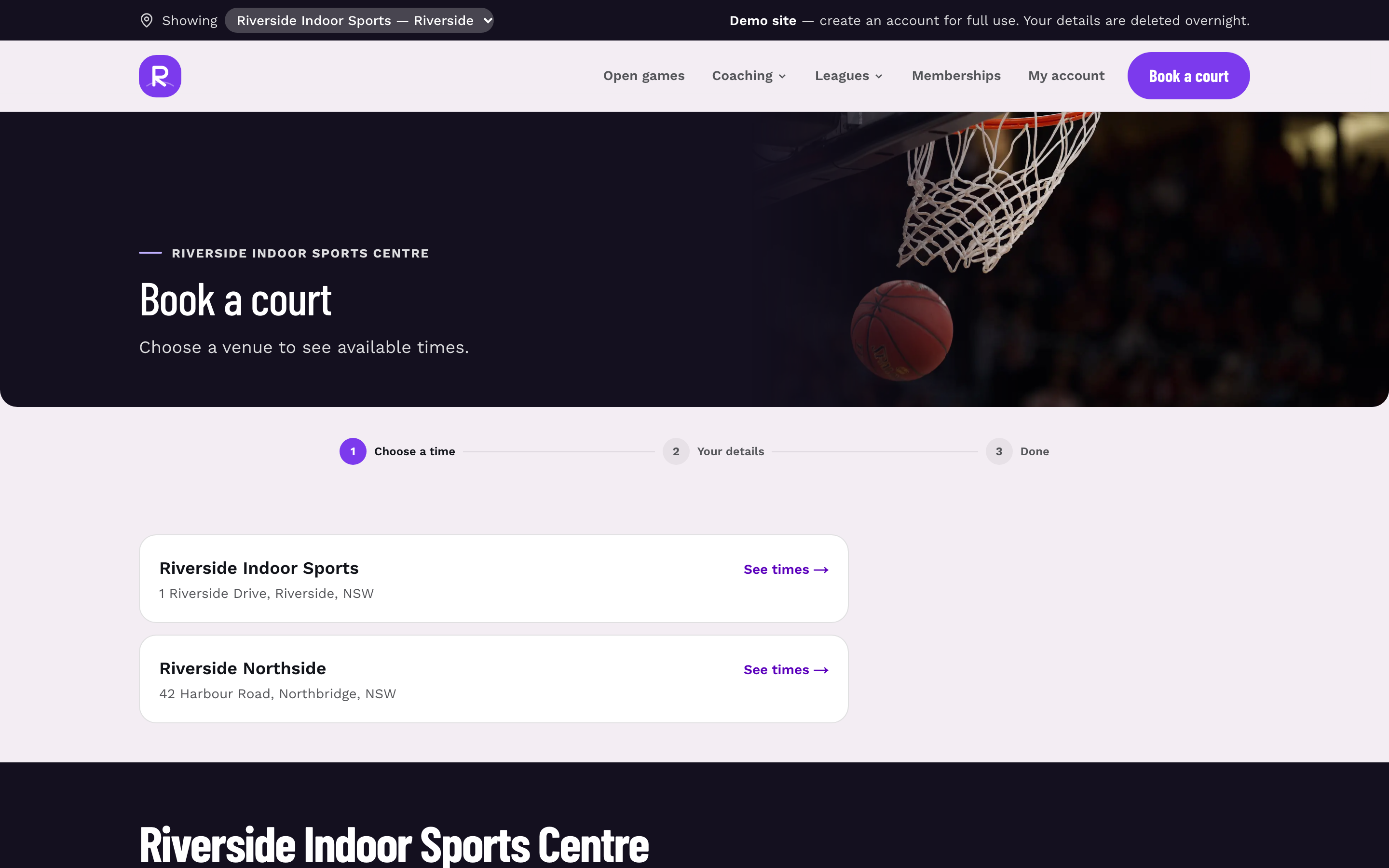
When your court and field booking system shows only the hours you're actually open, hirers can't book a slot you've closed — which removes most of the confusion before it starts.
The comms timeline for your venue Christmas opening hours
The most common failure isn't the wrong hours. It's telling people too late, in one place, once. Here's a timeline that works for most venues.
| When | What to send | Who to |
|---|---|---|
| Early November | Lock in your open / reduced / closed table and holiday pricing | Internal — staff and coaches |
| 6 weeks out | Email with the full holiday schedule and the recurring-booking rule, plus a reply-by date | Recurring hirers and team captains |
| 4 weeks out | Update your website, booking page and Google Business Profile hours | Everyone |
| 2 weeks out | SMS reminder to anyone with an affected booking who hasn't replied | Recurring hirers |
| Week before | Short email and a sign at the desk and on the gate | All recent customers |
| Day before each closure | SMS to anyone who usually plays that night | Regulars on affected days |
Keep every message short: the dates, what's open, what it costs, and what they need to do. One clear table beats three paragraphs.
Don't skip the Google Business Profile step. It's where a lot of casual hirers check hours, and most profiles let you set special hours for specific dates. Our Google Business Profile guide for sports venues walks through the setup.
For message wording that actually gets read, the principles in sports parent communication apply to adult hirers too: subject line says the date, first line says what changes.
What goes wrong on the floor
A setup we see a lot: the holiday hours went out in one email in mid-December, the website was updated, and the job felt done. Then the week after Christmas plays out like this.
The Tuesday team captain never opened the email. Their teammates rely on the captain, so nobody knows. They arrive to a dark building. Meanwhile a casual hirer books online for New Year's Day because the booking page still showed normal hours — the website said closed, the system said open. Someone on the team gets a call on their day off.
None of that is a big failure. It's three small gaps: one channel, one send, and two places holding different hours.
The fixes are just as small. Send to captains and players, not just captains. Use SMS for the date-specific reminder, because a text the day before gets seen. And make the booking system the source of truth — set the hours there first, then copy them everywhere else.
Common mistakes to avoid
- Deciding in the second week of December. By then regulars have made plans and you're announcing, not consulting.
- Closing too much. If last year showed demand on 2 January, a short session pays and keeps your community warm.
- Opening too much. Twelve staffed hours for four bookings is a donation to the electricity company.
- Hidden holiday pricing. Price it on the booking page or don't charge it.
- No default for non-replies. Without a rule, you end up guessing who's coming.
- Forgetting the restart date. Half the confusion is people unsure when normal hours resume. Say it in every message.
If January looks thin even after the break, look at open sessions and social play for off-peak court time to bring people back in early.
Your Christmas hours checklist
- [ ] Pull last year's bookings from late December to early January
- [ ] Mark every date open, reduced or closed in one table
- [ ] Run the reduced-trade numbers with your real staff costs
- [ ] Check your award's public holiday rules and your state's public holiday dates
- [ ] Set holiday pricing on the booking page before anything goes out
- [ ] Choose the recurring-booking rule and a reply-by date
- [ ] Set the hours in your booking system first, then the website and Google profile
- [ ] Schedule the six-week email, two-week SMS, week-before email and day-before SMS
- [ ] Print the gate and desk signs, including the date normal hours return
If you do one thing this week, open last year's bookings and fill in that open / reduced / closed table. Everything else on this list runs off it. And if your bookings, website and messages live in different tools, it's worth seeing what having them in one place looks like — the full Sweepa feature list is a good place to start.
FAQ
Should a sports venue open on Boxing Day?
It depends on what your own bookings showed last year. Some venues get solid demand from families and social groups on Boxing Day afternoon, while others sit empty. If you do open, a shorter window with pre-booked slots and a clear holiday rate usually covers the extra staffing cost better than full hours.
Can I charge more for court hire on public holidays?
Yes, many venues use a labelled public holiday rate because staffing costs more on those days. The key is to show the price on the booking page before people book, and to explain briefly why. For the staffing side, check the Fair Work Ombudsman's guidance for your award rather than assuming the rates.
How early should I tell regulars about Christmas closures?
Around six weeks out is a good starting point for recurring hirers, with a reply-by date for any booking changes. Follow it with an SMS reminder about two weeks out and another the day before each closure. One email in mid-December is the most common reason teams turn up to a locked gate.
Do recurring hirers still pay for weeks the venue is closed?
Most venues pause recurring bookings on closed dates and don't charge for them, which is what regulars generally expect. You can also offer a swap to an open or reduced-trade slot that week. Set a default for anyone who doesn't reply so you're not staffing slots nobody plans to use.
Where should I publish my holiday opening hours?
Set them in your booking system first so nobody can book a closed slot, then copy the same hours to your website, Google Business Profile, emails and a sign on the gate and desk. Using one table as the source for all of them stops different channels showing different hours. Always include the date normal hours return.